apps toggled to finish one sale
Product · UX · Engineering / Thailand, 2024
POS built for buds,
not burgers.
How four people built a cannabis point-of-sale system from first principles—in a market where everyone else was duct-taping restaurant software and hoping the regulator wouldn't notice.
01 / Where it starts
Someone handed a dispensary a burger app and said, “it's software, isn't it?”
Cannabis dispensaries across Thailand were running their businesses on restaurant POS systems with a “cannabis module” bolted to the side.
The problem was not that the software looked dated. It was that it misunderstood the business. It thought grams were menu items, consultations were table orders, and compliance was optional. The biggest global platforms would not serve the category at all, leaving operators to improvise around tools that were never designed for them.
We thought there was a better way. So we built KLu.
“We're supposed to be cannabis experts. Half our day is fighting a system that thinks we're selling pasta.”
were the official workaround documentation
precision, calculated on a phone beside the POS
customers watched staff fight the tool
02 / The shape of it
Two products. Two people. Two contexts.
KLu is not one app pretending to serve everyone. It is two connected products, each designed around the person standing in front of it.
01 / CounterNative iPad POS
Fast · tactile · offline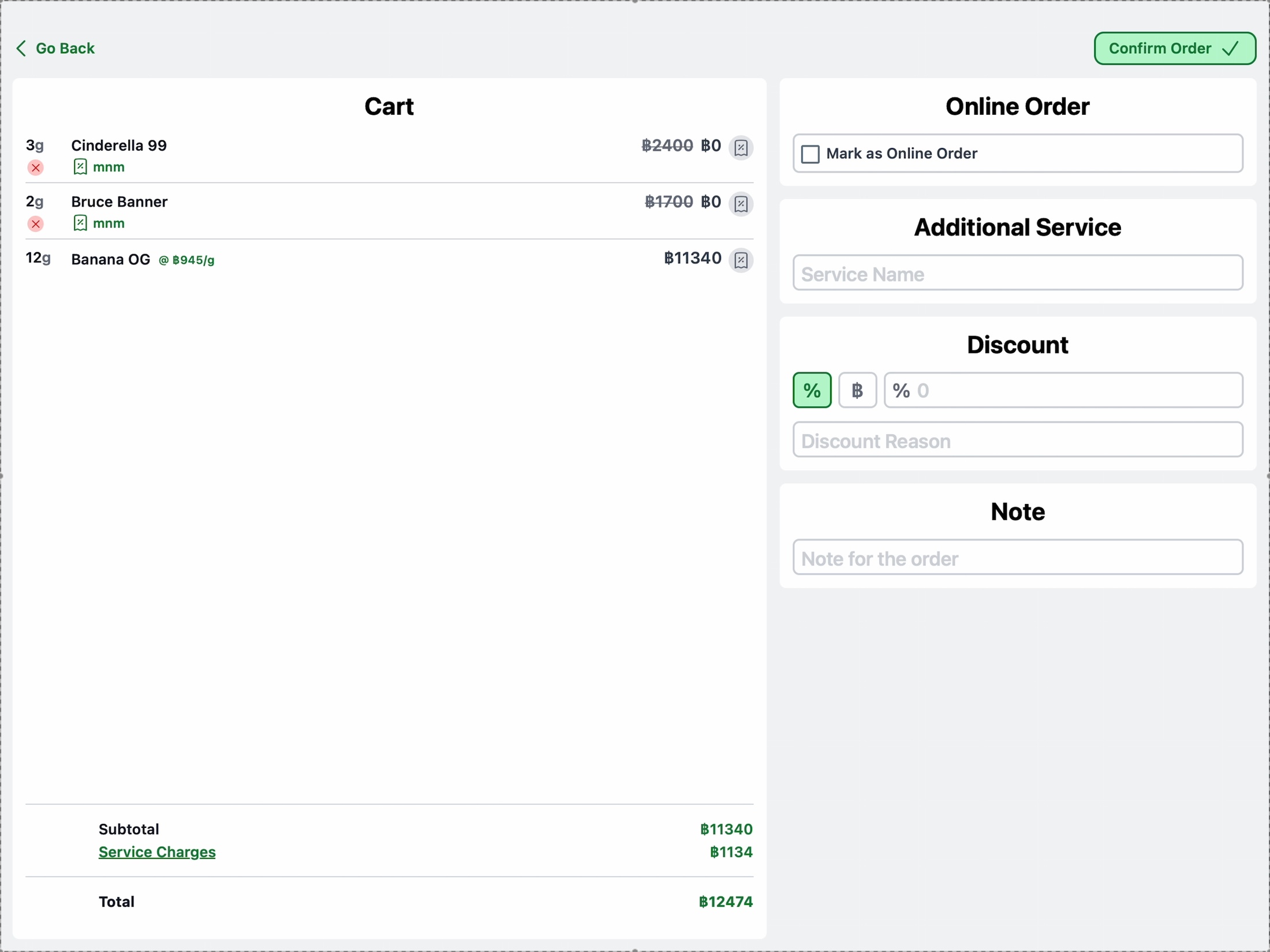
02 / AnywhereOperations PWA
Reports · inventory · control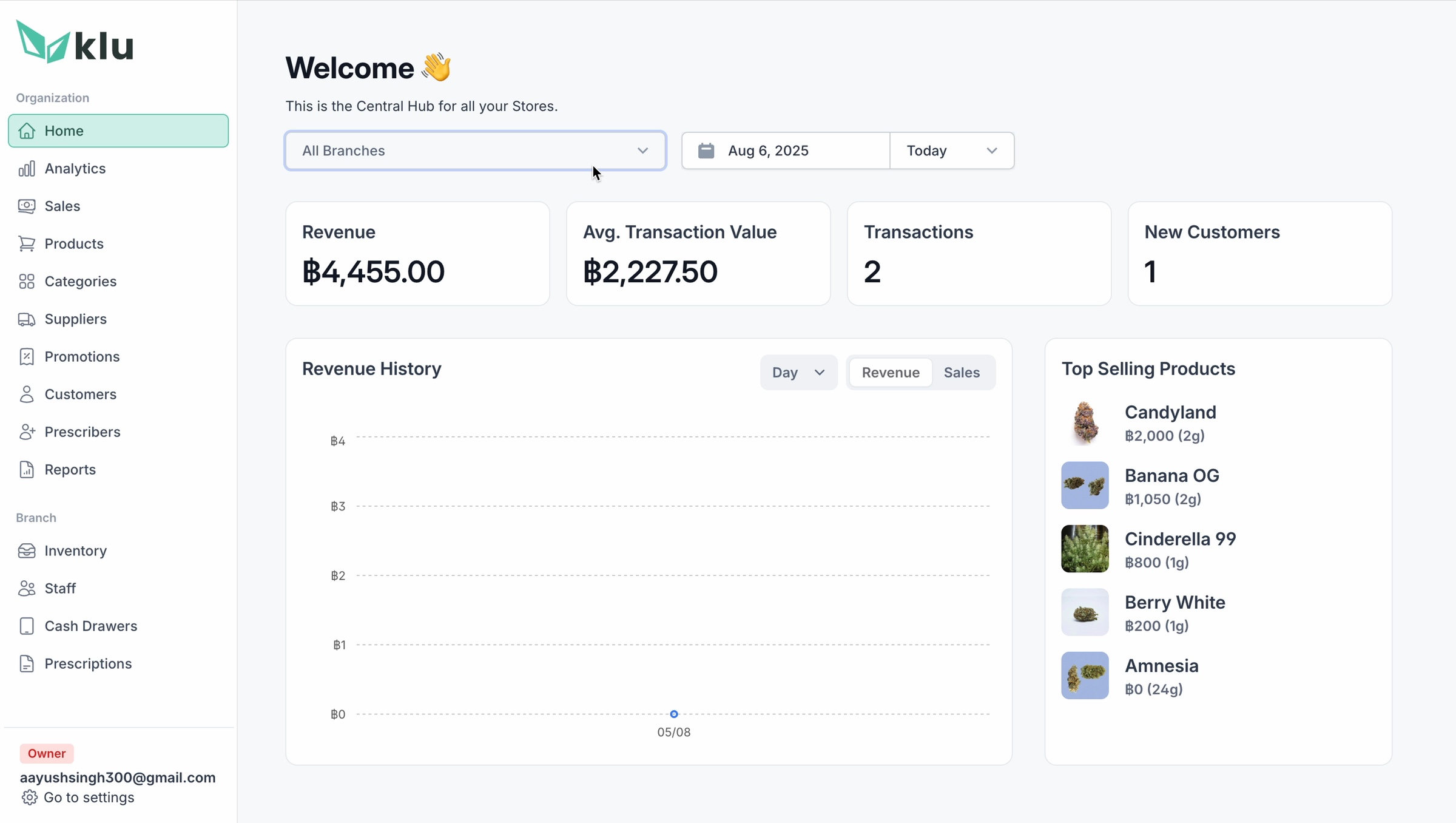
The principle underneath
Don't force complex management onto a touch sales screen. Don't make a budtender learn a spreadsheet.
03 / Product decisions
Five choices that separated KLu from a burger app in a lab coat.
01
Recognition beats recall.
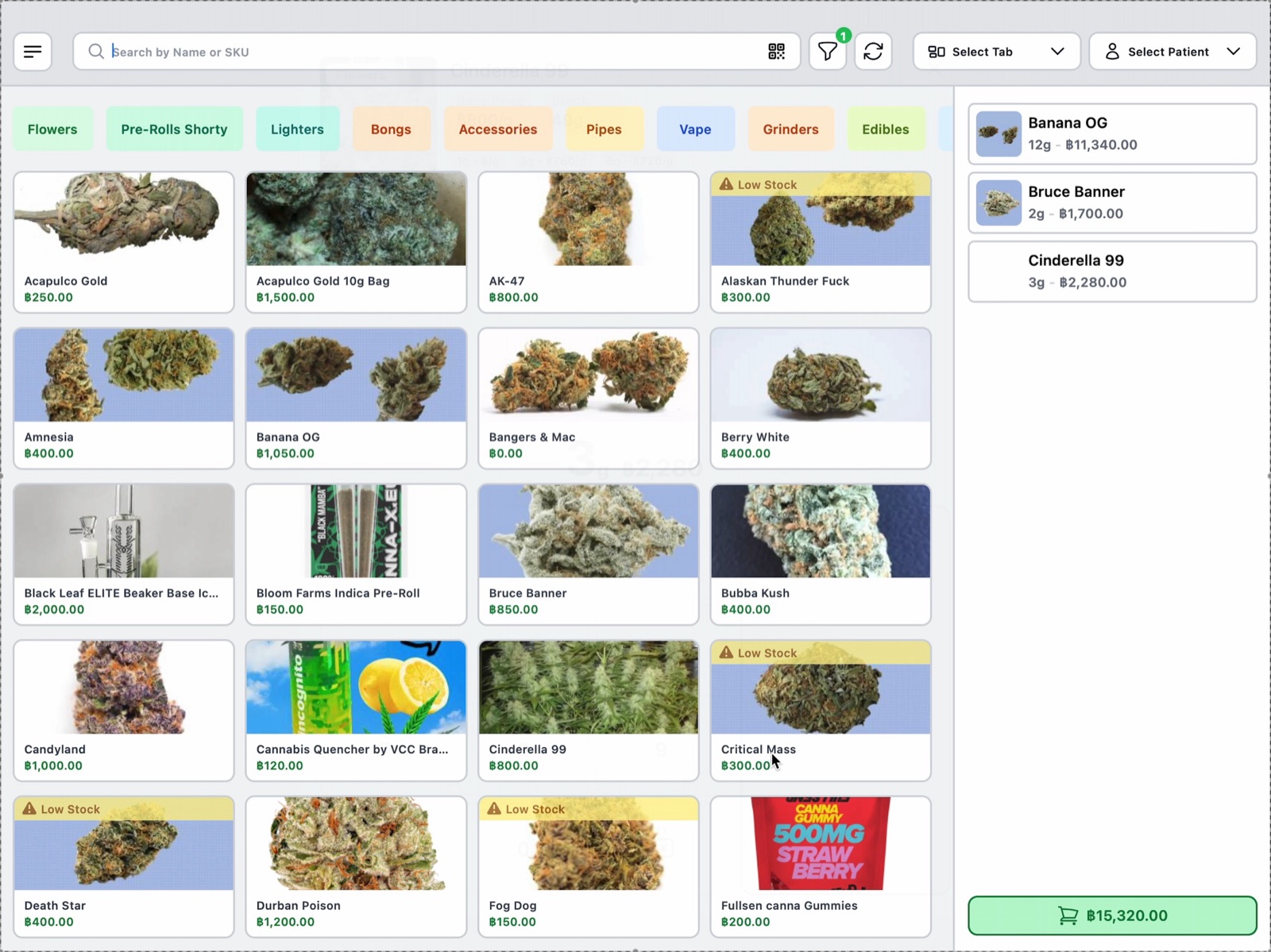
Strain names are chaotic and easy to mishear. A keyboard-first search flow asks a new budtender to memorize a cannabis encyclopedia. We made the product image, live stock state, price, and category visible together, so the shelf could be scanned instead of recalled.
≈45 sec → under 5 sec selection
02
Tabs, because a dispensary isn't a diner.
A consultation does not obey a tidy queue. One customer is choosing flower, another wants an edible, and a third steps outside to take a call. Independent tabs preserve each session through interruptions and network drops, then return the budtender to exactly where the conversation paused.
Parallel service · no abandoned carts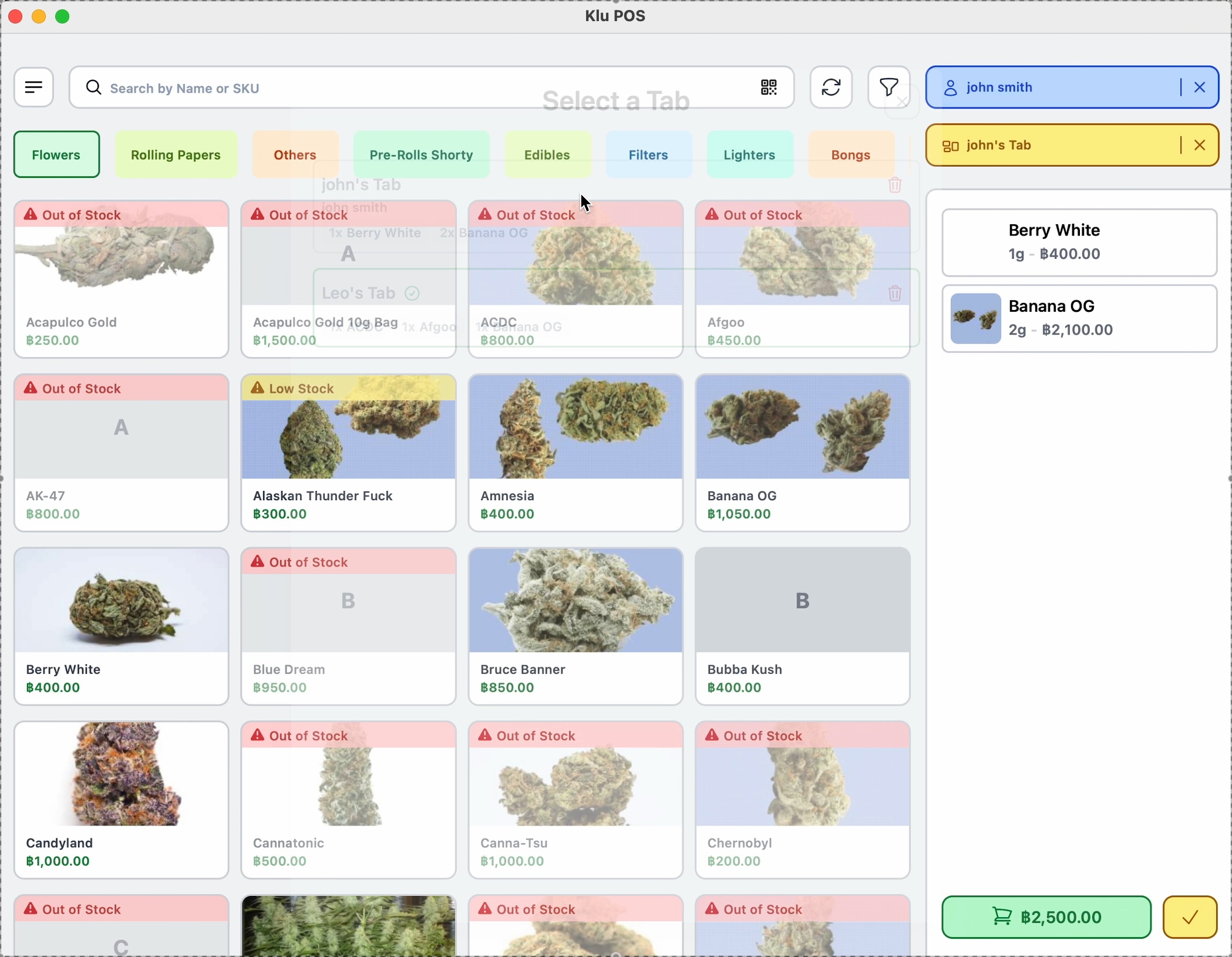
03
Weight is a first-class citizen.
Every cannabis sale is a weight transaction—not a unit count. KLu gives it the clearest interaction on the screen: a thumb-friendly numpad, common-weight presets, real-time inventory deduction, and a hardware bridge that can accept weight directly from a digital scale.
0.01g precision · direct scale input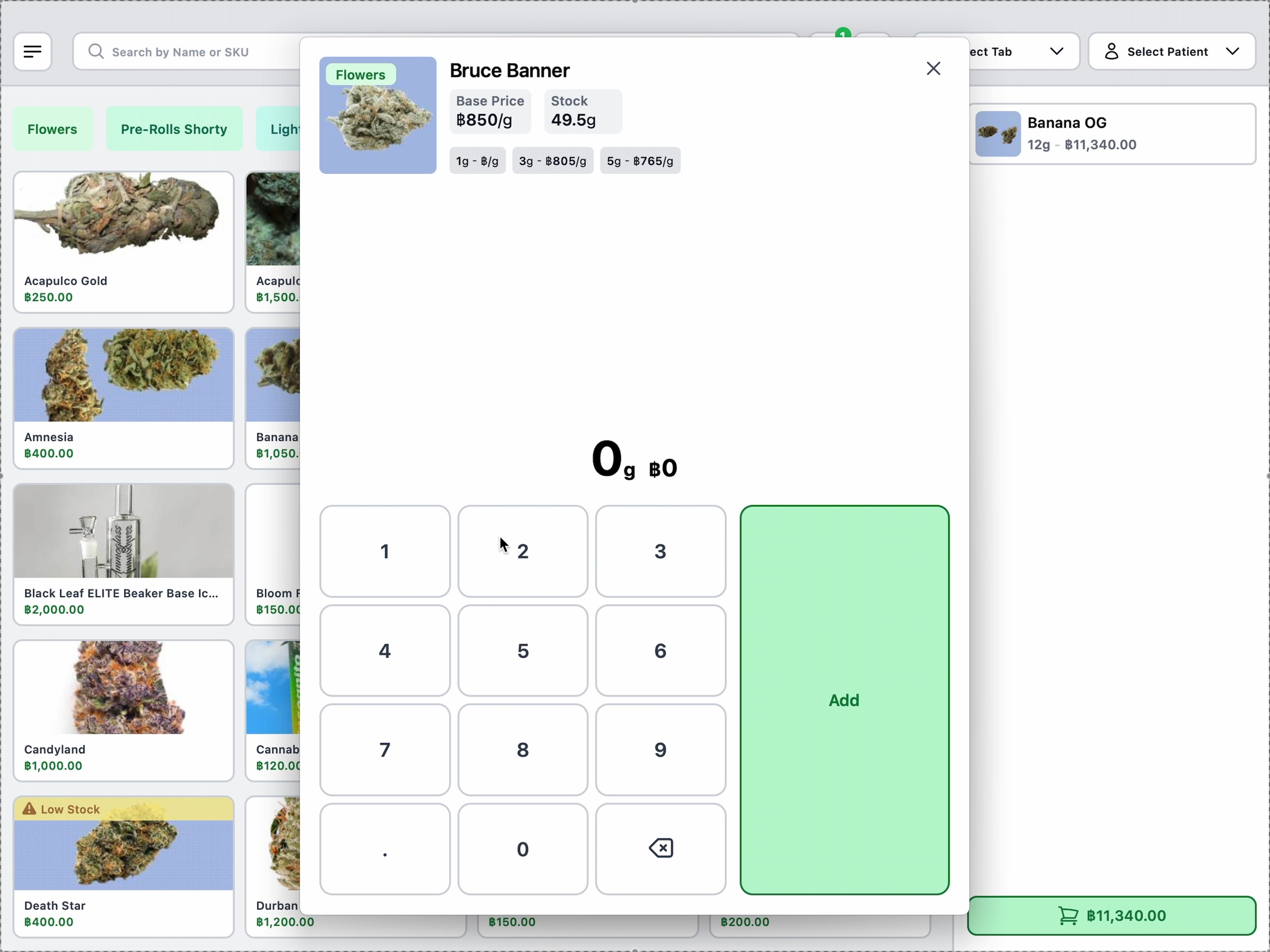
Decision 04 / Quiet infrastructure
“Compliance should feel like plumbing: essential, invisible, and never broken.”
- Purchase-limit validation during the sale
- Seed-to-sale traceability in the background
- Government reporting on every transaction
- A complete, reviewable audit trail
Decision 05 / Local by default
PromptPay, because Thailand.
Customers already reach for their phone and scan. KLu generates the QR inside checkout and confirms the payment in the same transaction. It is a small interaction with a large message: the product was built for this market, not merely translated into it.
Native payment rail · automatic confirmation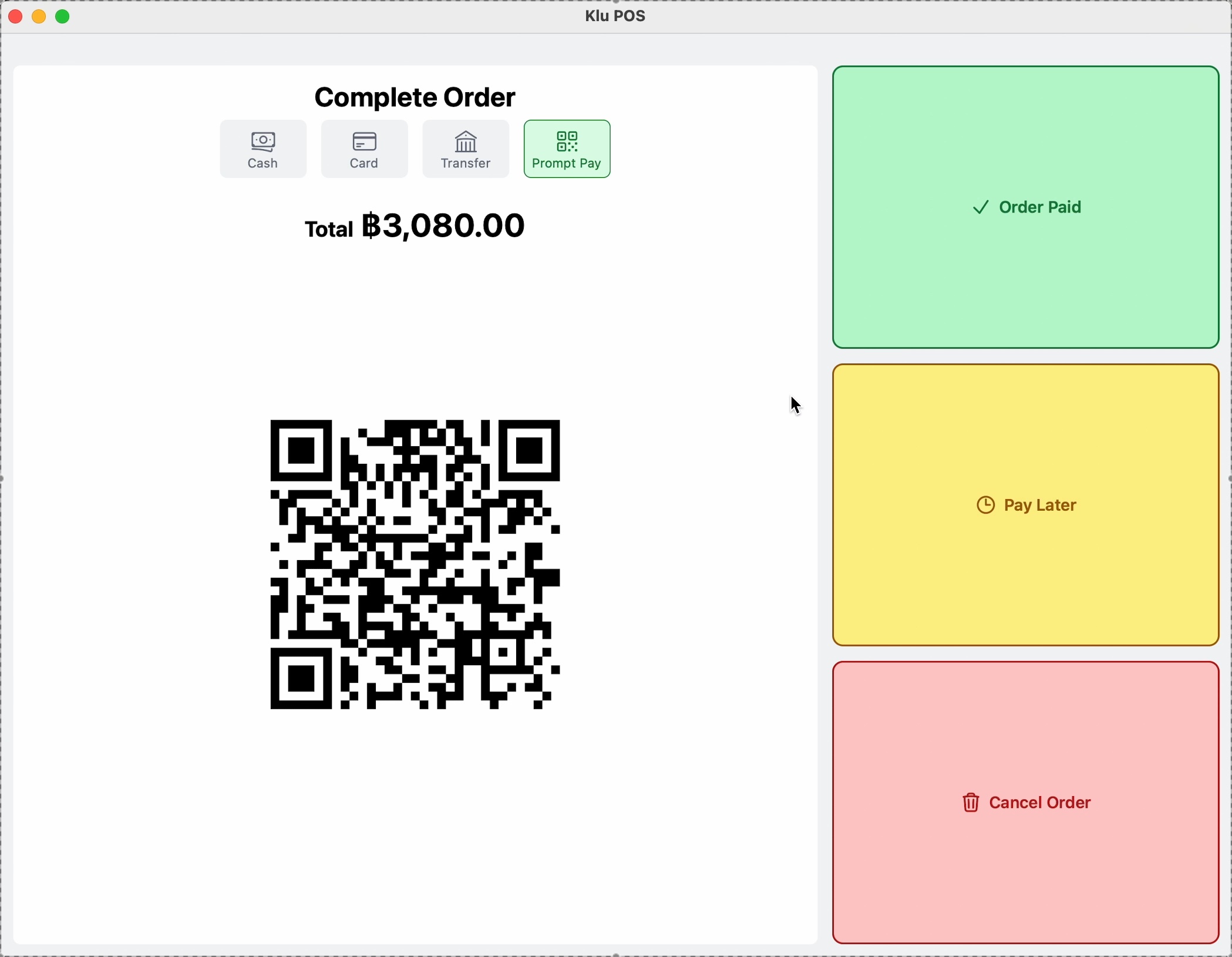
04 / The control plane
The counter is only half the product.
The POS makes a sale fast. The web app makes the business legible.
Every checkout changes several things at once: cash, stock, customer history, margin, compliance records and branch performance. The SaaS product turns that exhaust into an operating picture—without asking an owner to reconstruct the day from receipts and spreadsheets.
See the whole business
Consolidated performance, branch comparison, team access and the patterns that only emerge across outlets.
Run one location well
Local stock rooms, prices, promotions, cash drawers and staff—inside the context where action happens.
Trace the thing itself
Drill from a metric into the bill, product, customer, prescription or inventory movement behind it.
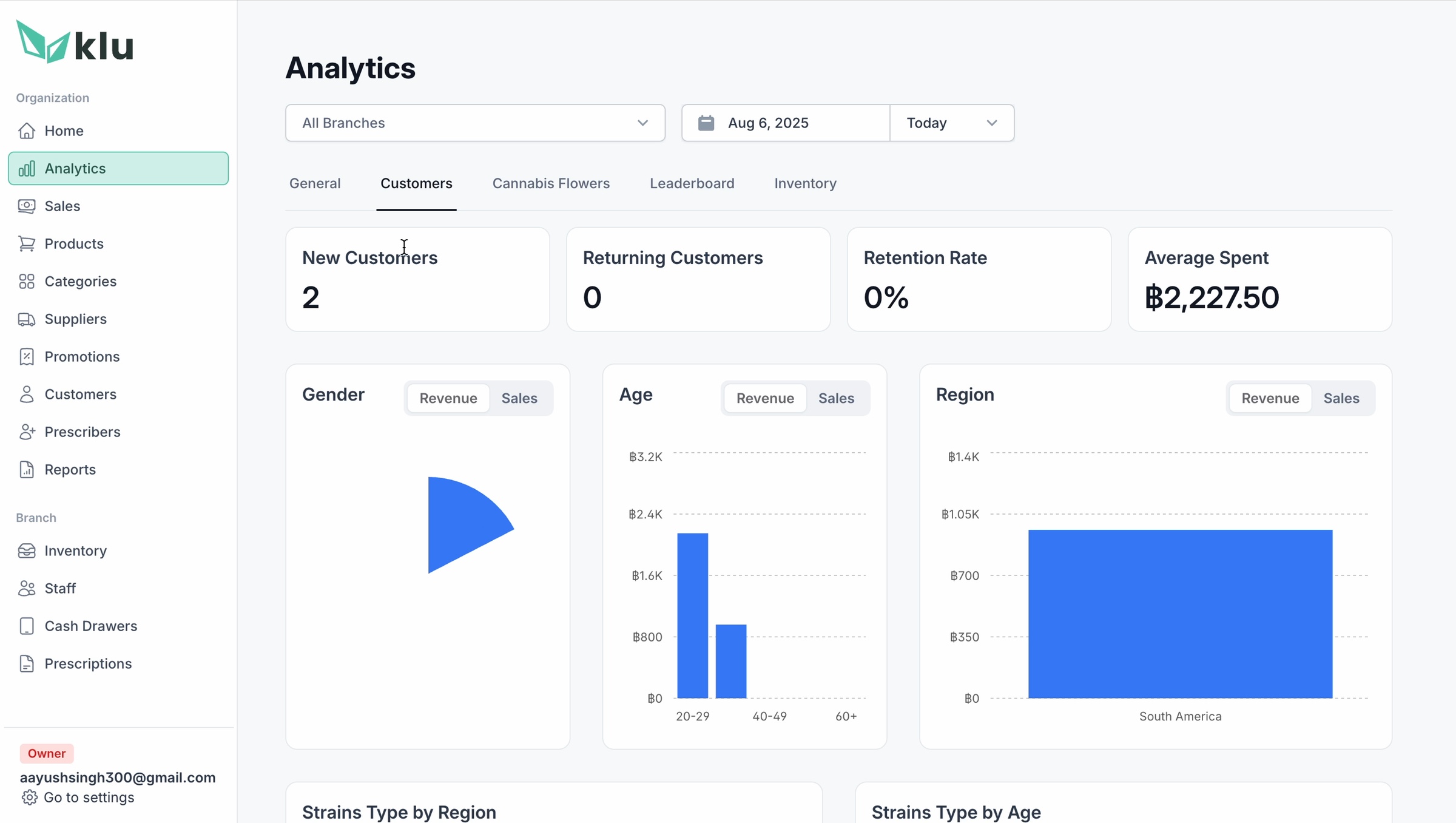
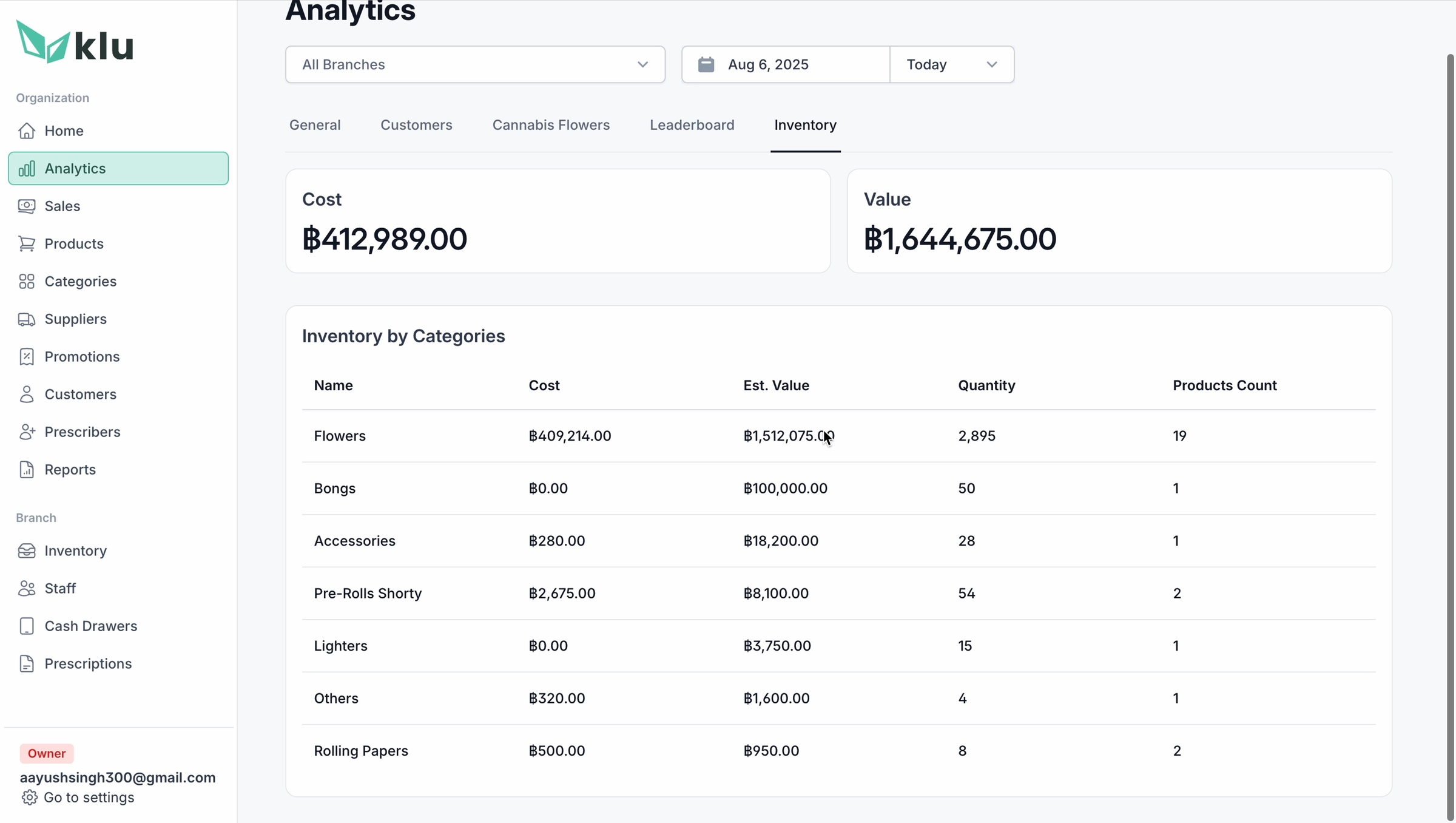
System 01 / Analytics
Metrics organized around decisions.
A generic dashboard gives everyone the same charts. KLu separates the questions an operator actually asks: Are customers returning? Which flower types are moving? Where is capital sitting? What changed at this branch, in this period?
GeneralCustomersCannabis flowersLeaderboardInventory
Design readBranch and date filters stay above the analytical lenses. Summary numbers lead, comparison charts explain, and tables remain available when an owner needs the record—not just the trend.
System 02 / Catalog + pricing
A product is not the same thing as its price.
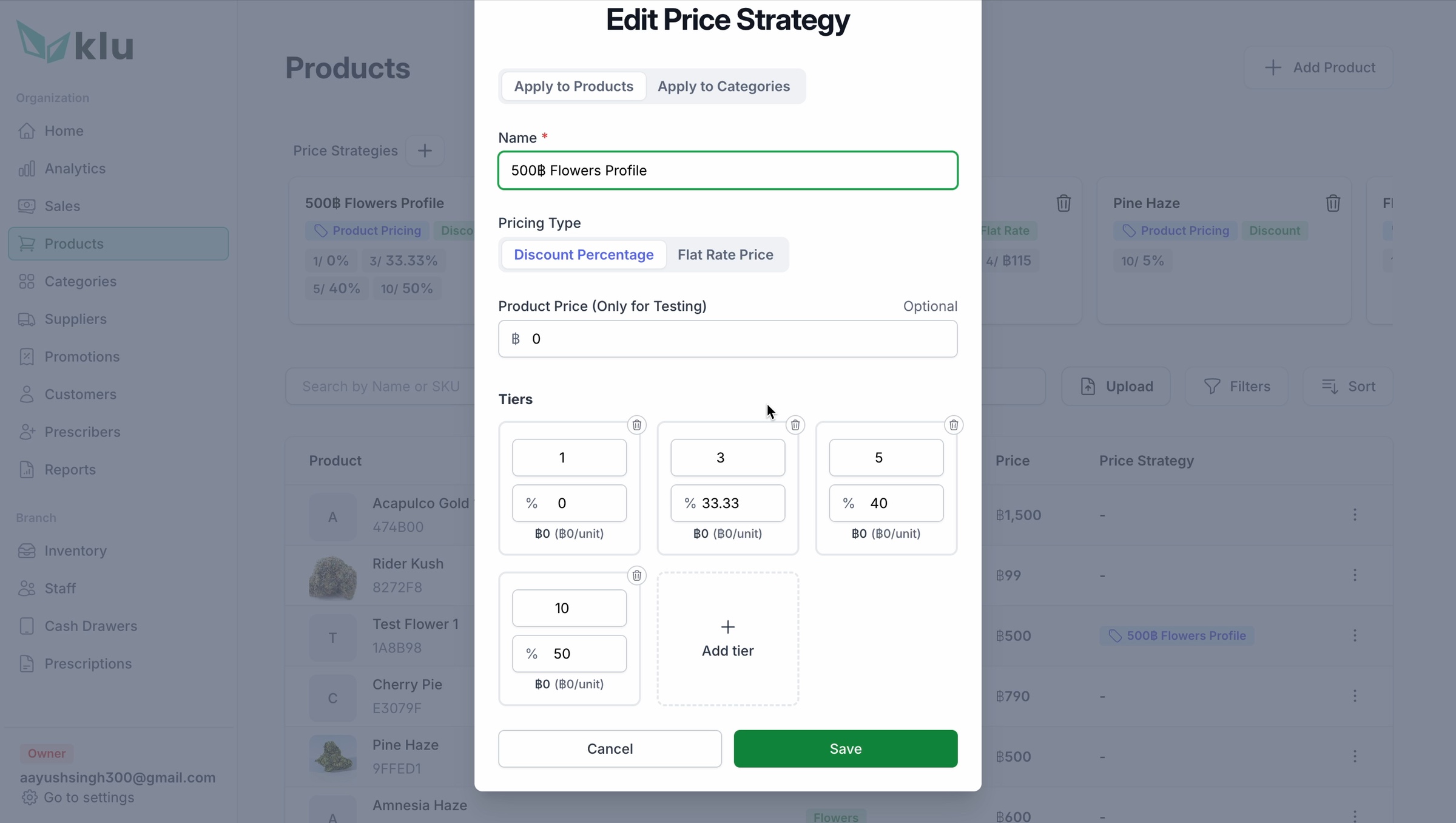
The catalog separates product identity, strain attributes, branch inventory and commercial rules. That distinction matters: one strain can live in several rooms, cost different amounts by branch, and use tiered pricing by weight—without becoming four duplicate products.
Design readPrice strategy is modeled as a reusable rule. Operators can apply it by product or category, choose discount or flat-price logic, and build weight tiers in one compact form. Bulk upload handles the less glamorous but essential migration path.
System 03 / Inventory
Stock is a ledger, not a number.
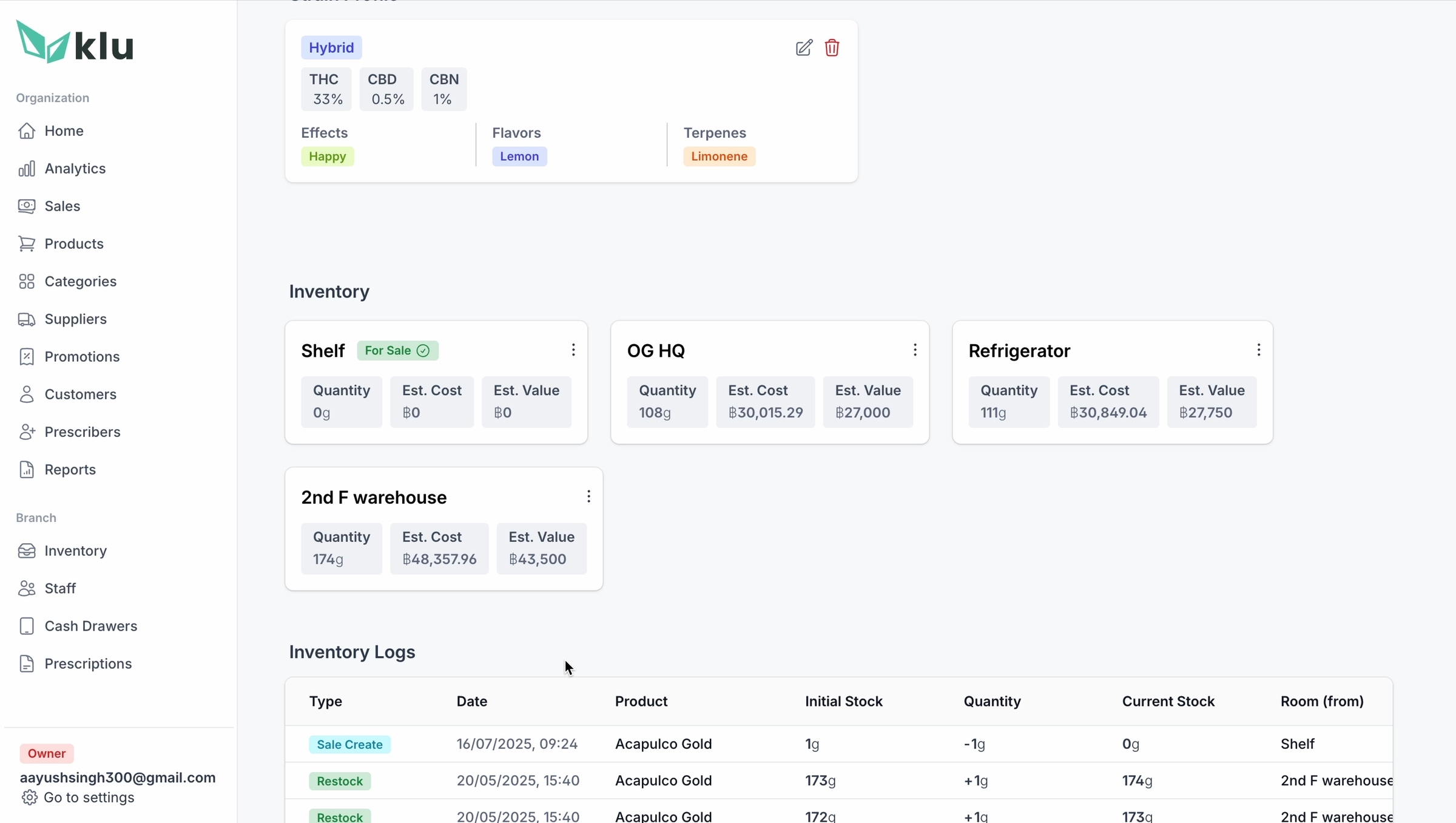
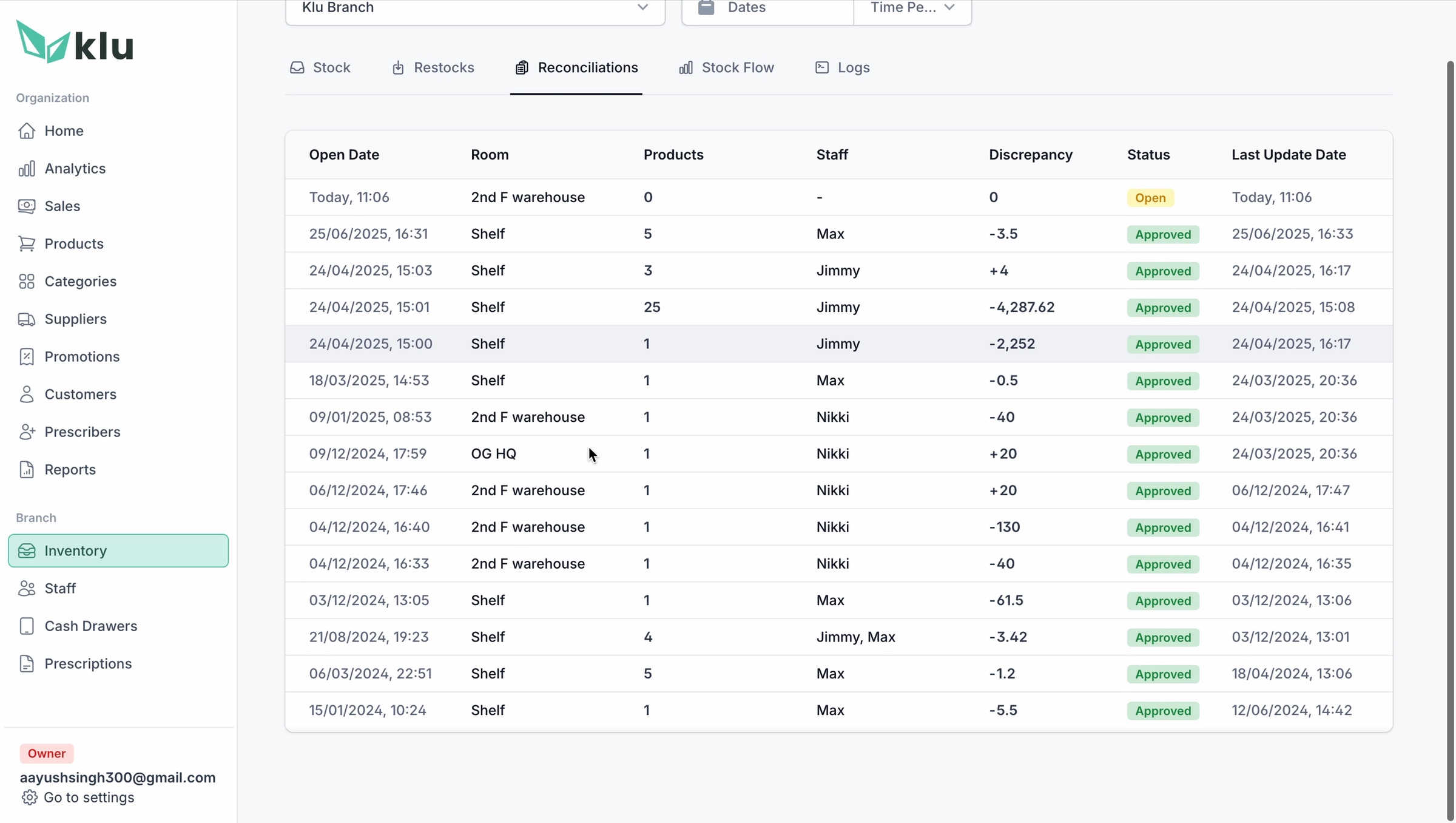
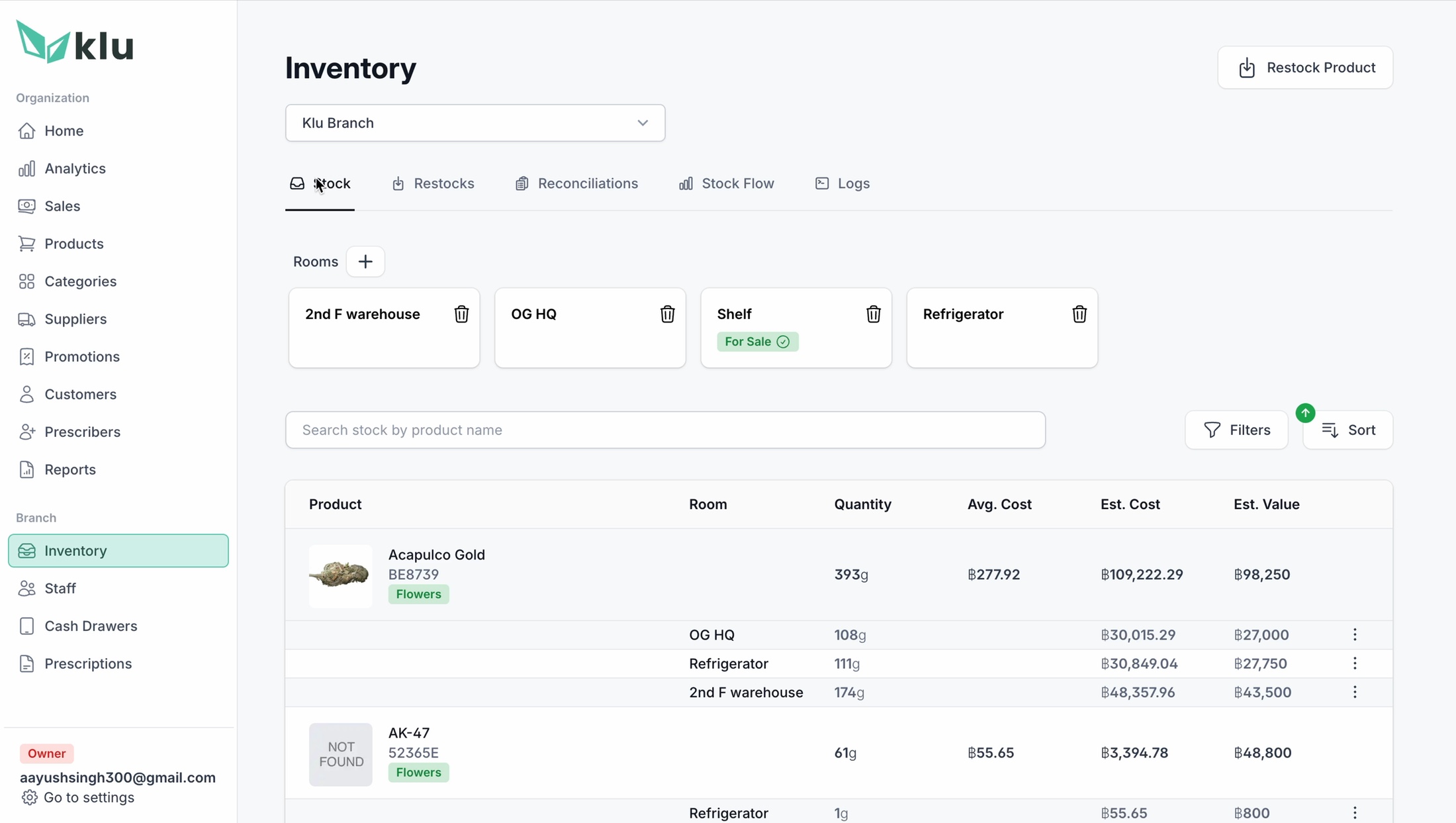
A single quantity cannot explain cannabis inventory. KLu keeps room-level stock, quantity, average cost, estimated value and movement history together. Restock, transfer, reconcile and wastage are explicit workflows, so correcting reality never erases how the mismatch happened.
Quantity
by roomAverage cost
+ estimated valueMovement
+ reconciliation log
by roomAverage cost
+ estimated valueMovement
+ reconciliation log
Design readThe information architecture moves from overview to exception to evidence: spot a discrepancy, reconcile it, then retain the log. Multi-outlet control becomes auditable instead of magical.
System 04 / Reporting
A report builder, not a pile of exports.
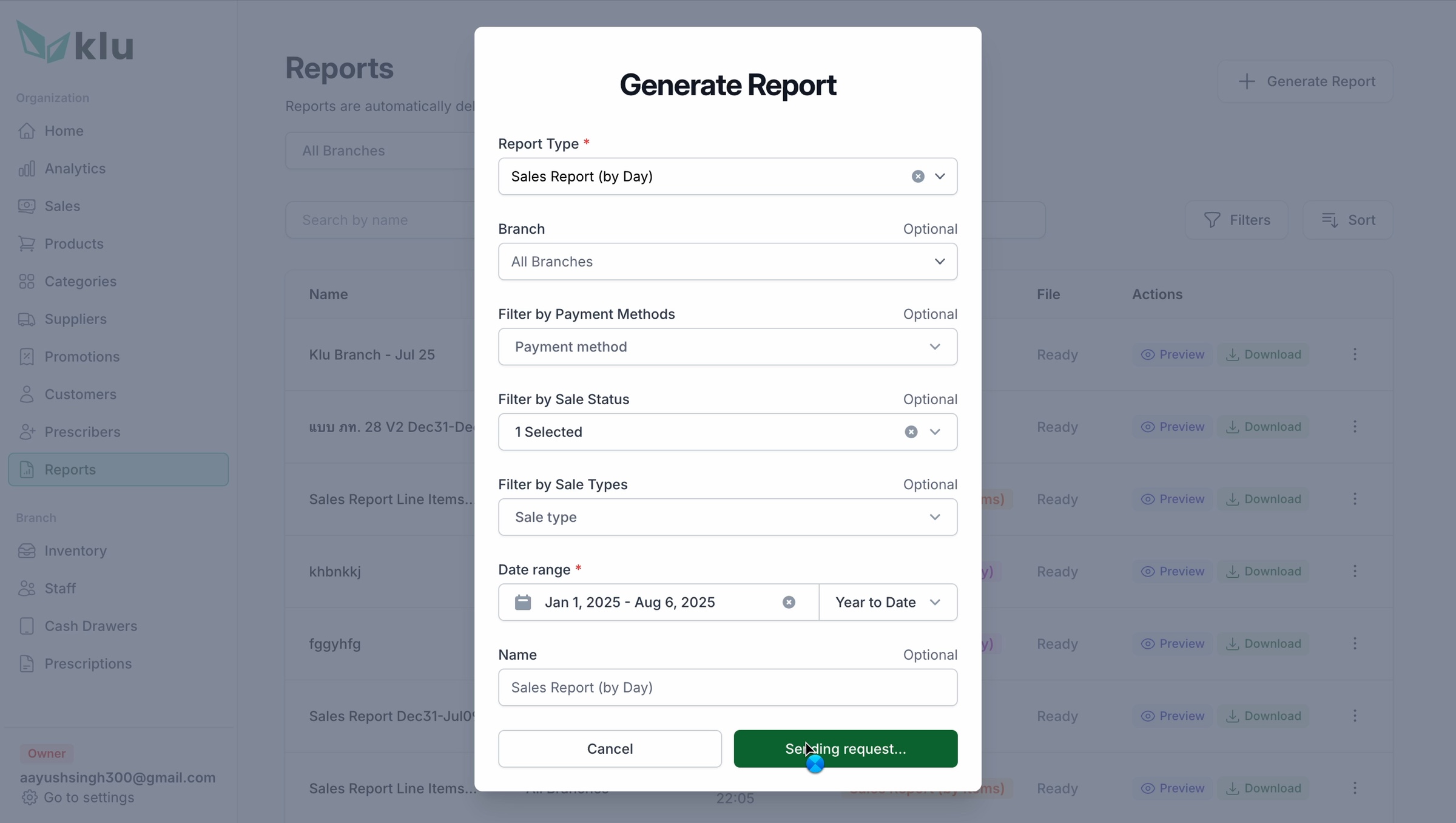
Owners need different evidence for finance, operations and regulation. Instead of hard-coding dozens of near-identical downloads, KLu lets them compose the report: type, branch, payment method, sale status, sale type and date range—then save the result for the next cycle.
Design readThe form uses progressive specificity. Start with the question, narrow the operating scope, then name and generate the artifact. The complexity is real, but it arrives in the order a manager thinks.
One operational trail, three ways to inspect it.
Customer context, prescription status and cash movement are not disconnected admin modules. Together they explain who was served, whether the sale was valid, and how money moved through the branch.
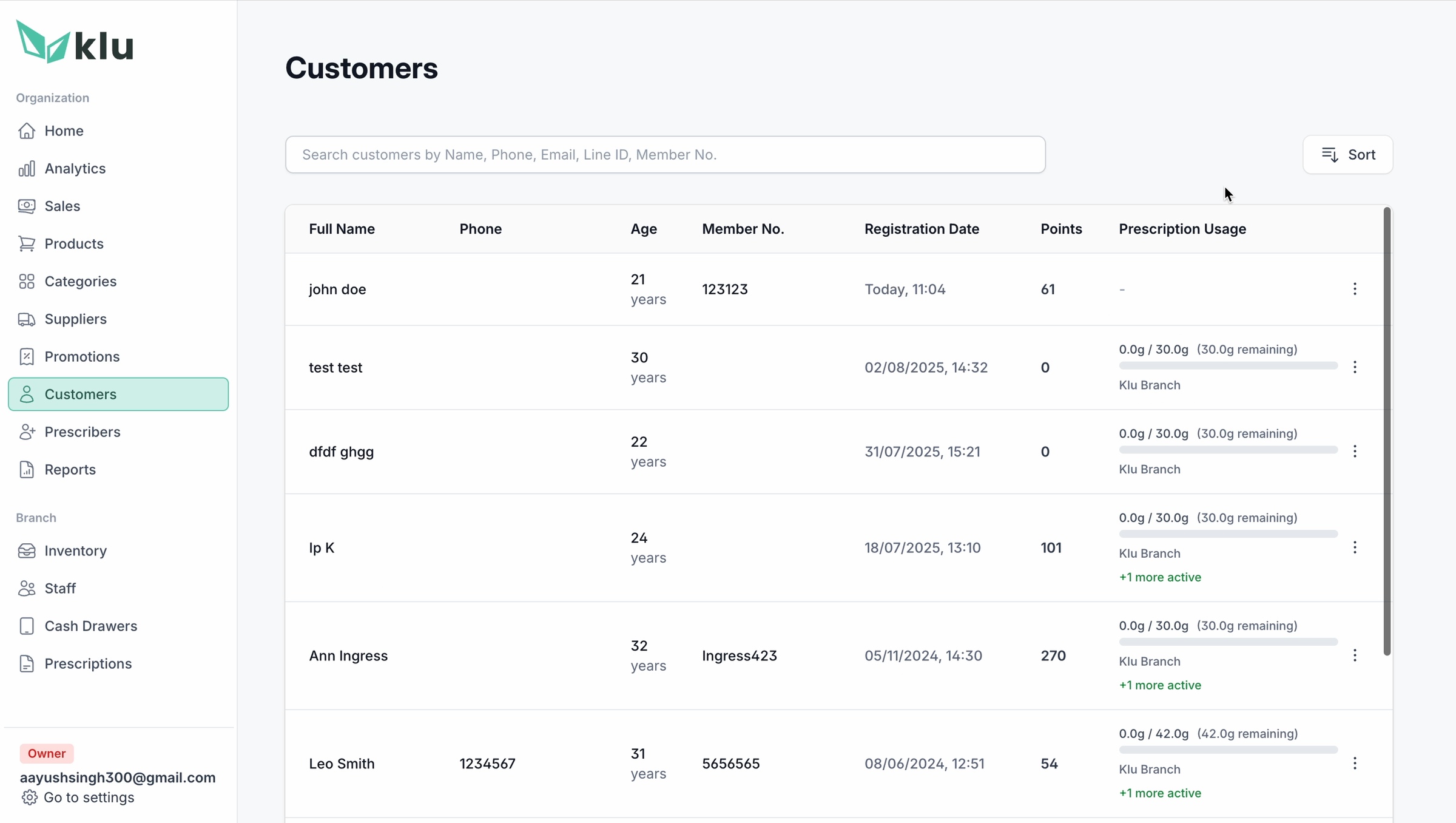
Customer memory
Identity, membership, loyalty and prescription usage make the next consultation informed instead of anonymous.
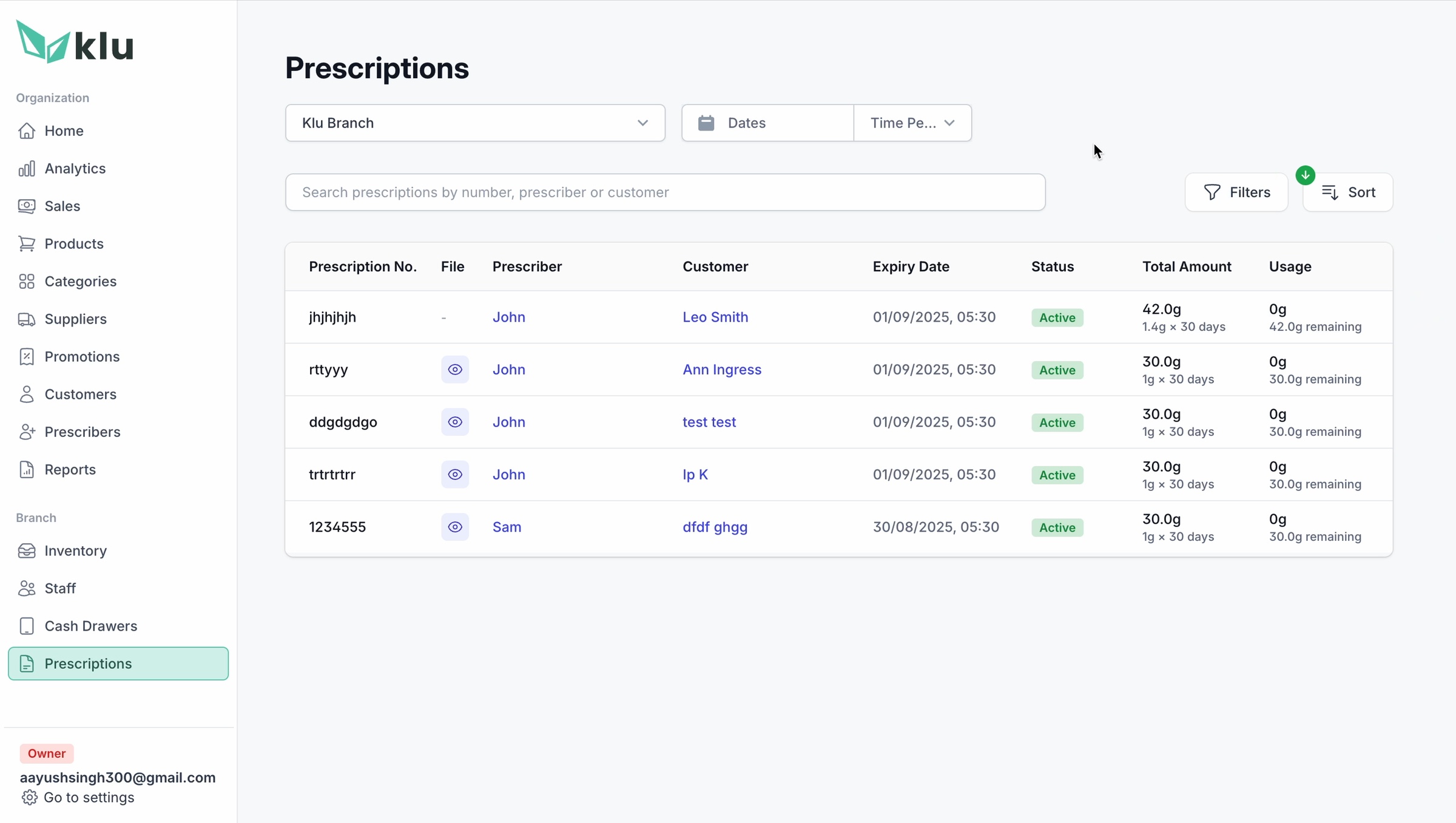
Compliance evidence
Prescriber, expiry, status and usage remain visible as a reviewable record after checkout.
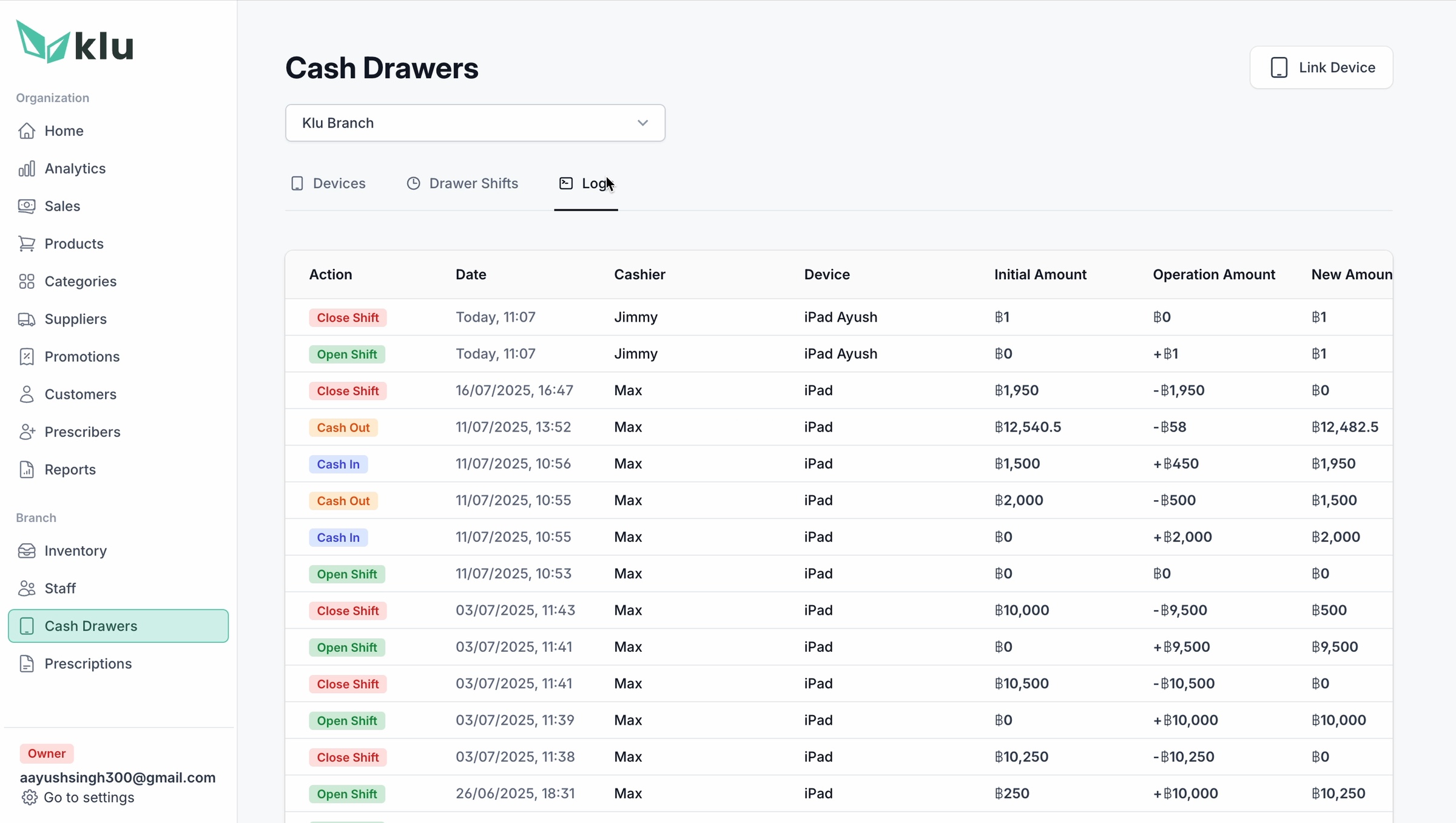
Shift accountability
Drawer events connect the digital sale to the physical till and the staff member responsible for it.
The product relationship
The iPad removes friction from the moment of sale. The web app turns every sale into control, evidence and a better next decision.
05 / Under the hood
The right tool for each job, all the way down.
The architecture follows the product philosophy: optimize each surface for its real context, then let the difficult parts sync quietly underneath.
Native iOS protects touch performance and offline resilience at the counter. A React PWA gives owners access anywhere. A custom bridge speaks to digital scales. Critical actions never wait for the shop Wi-Fi to cooperate.
Touch-first sales, local state, resilient transactions.
Queues writes offline and reconciles when the network returns.
Inventory, reports, staff, branches and oversight.
↳ Hardware · digital scale bridge
↳ Compliance · validation + audit trail
↳ Payments · cash + card + PromptPay
06 / Outcome
The honest test: would people choose it again?
Every dispensary that piloted KLu kept it.
That last metric is the one we are quietly proudest of. When software understands the job, adoption stops being a sales problem and starts feeling inevitable.
07 / What travels
Four principles that generalize beyond weed.
Purpose-built beats adapted
When operational complexity exceeds normal retail, a ground-up model wins over a retrofit.
Make hard things invisible
Compliance, sync and hardware belong in infrastructure—not in the user's way.
Design for the actual body
Real work is parallel, interrupted and human. Design for the rush, not the demo.
Localize below language
Payment habits and local regulation create fit long before translated labels do.
The industry did not need another POS. It needed someone to understand the job before writing the software.